HOME
HOMEWater heater
How to Use (Video)
Caution: Turn on the remote controller of the water heater before taking a shower or bath.
How to Use
How to Use the Shower
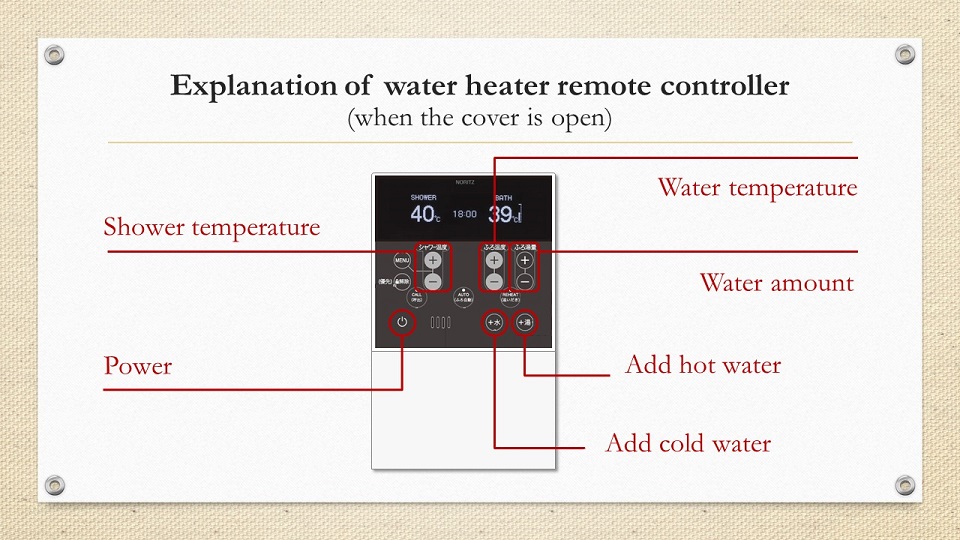
- Open the cover of the water heater’s remote controller and turn on the power.
- Control the water temperature with the “shower temperature” buttons.
- Use hot water for the shower.
How to Use the Bathtub
- Make sure to plug in the stopper before you fill the bathtub with hot water.
- Open the cover of the water heater’s remote controller and turn on the power.
- Control the water temperature with the “shower temperature” buttons.
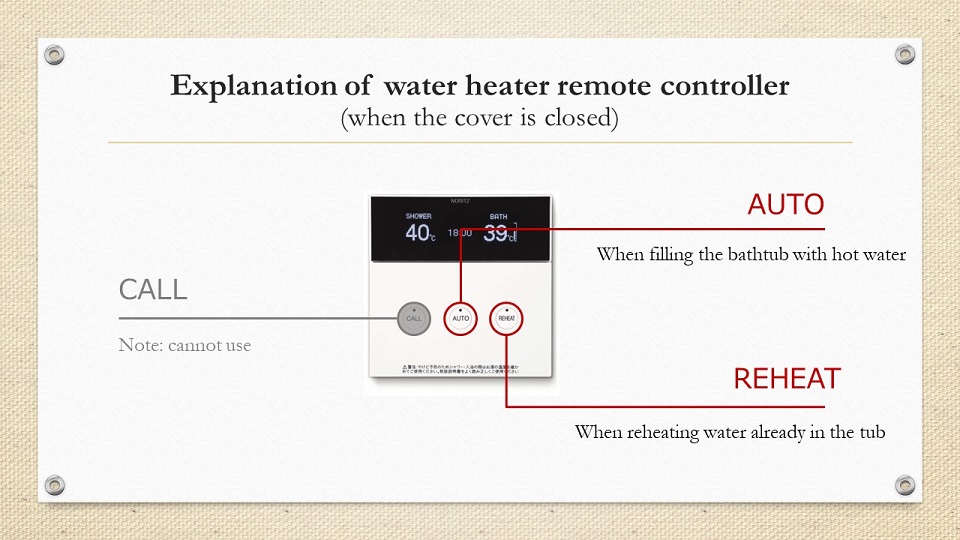
- Close the cover and press the “AUTO” button to start filling with hot water.
* It will take about 15 minutes.
How to reheat the water
- Press the “REHEAT” button to reheat the water.
How to Turn off the Water Heater
- Open the cover of the water heater’s remote controller and turn off the power.
Water Heater Remote Controller Details