Microwave
How to Use (Video)
How to Use
Heating Using Automatic Mode
- Open the door and place the item you would like to heat inside.
- Turn the dial and select the type of item you will heat.
- Press the “あたためスタート (start heating)” button. Heating is finished when the microwave beeps.
Heating Using Manual Mode
- Open the door and place the item you would like to heat inside.
- Press the “手動設定 (manual setting)” button and turn the dial to adjust the wattage.
- Press the “手動設定 (manual setting)” button again and set the heating time.
- Press the “あたためスタート start heating” button. Heating is finished when the microwave beeps.
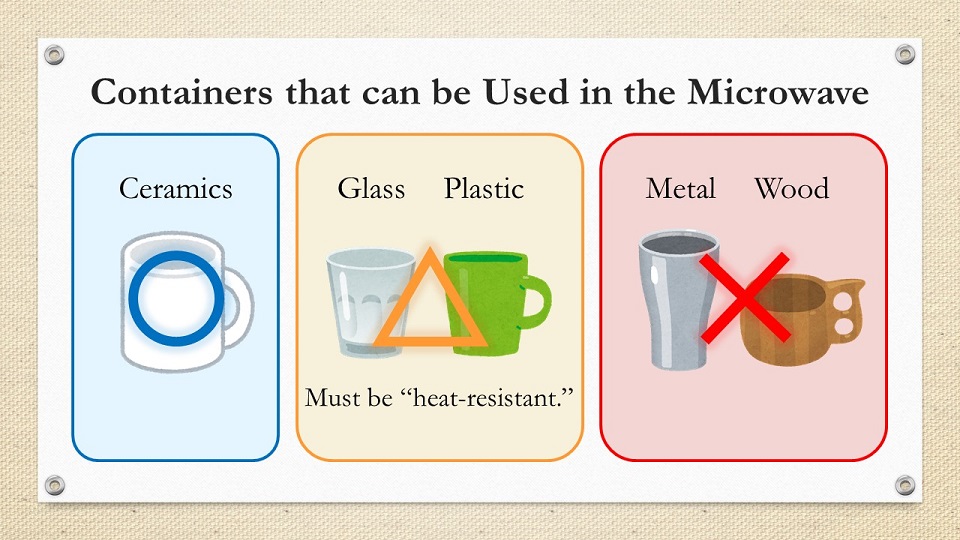
Containers that can be Used in the Microwave
<< Back to User Guides
 HOME
HOME